
Your needs, this model
Does it fit your priorities?
Can a 265lb requirement use manual incline at a slow desk pace?
The US URTM059 guide states 265lb and documents front supports plus a central support foot.
Explore this need in the finder →Can an upright console arrangement reach 5mph?
The rail-up console reaches 6.2mph, while the remote is limited to 4mph.
Explore this need in the finder →Can it stay below 44lb with a 15-inch belt requirement?
The current table lists 43.4lb and 15.2 inches of usable width.
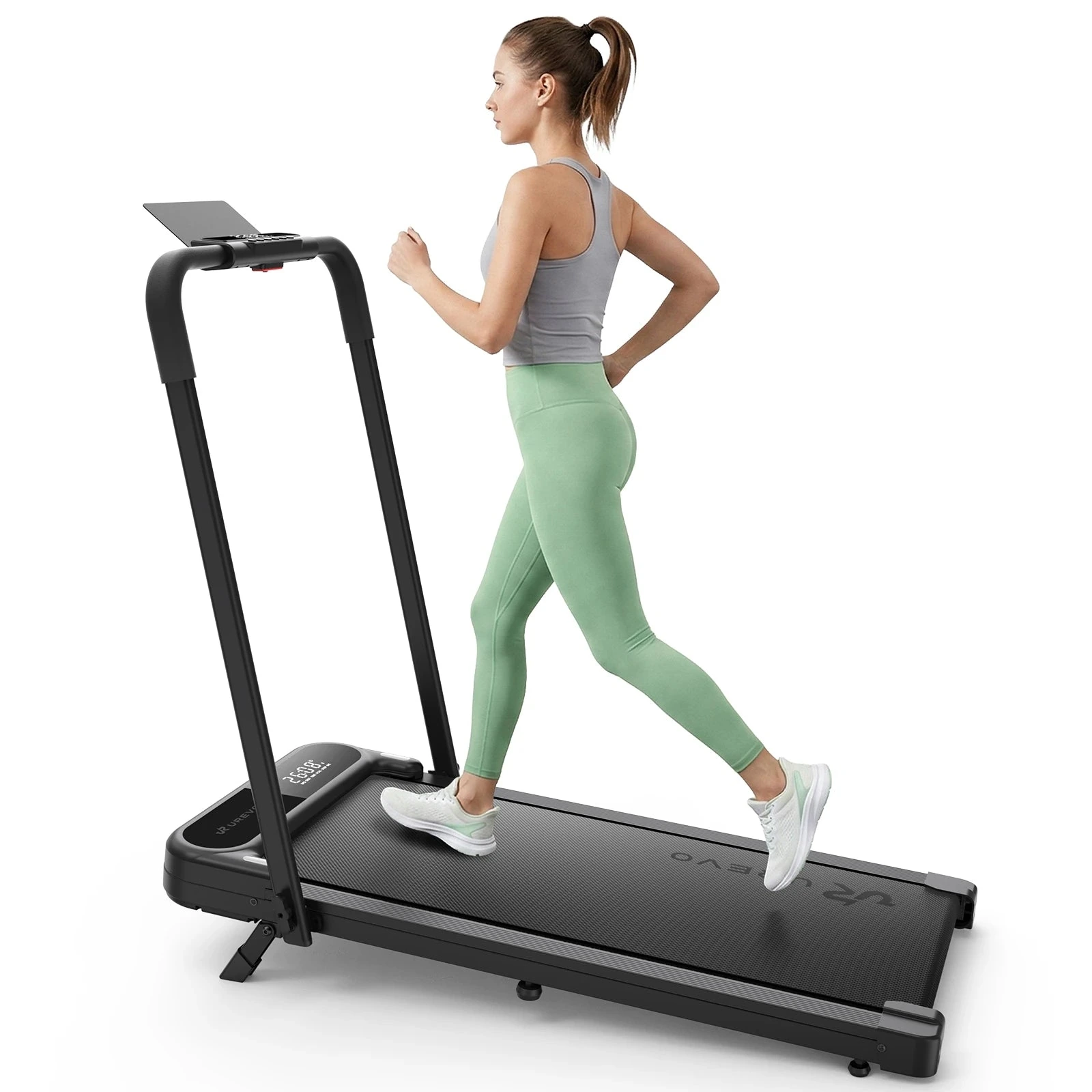
Explore this need in the finder →UREVO Strol 2E Pro: a light dual-use model with manually set incline. Its small body and fold-down handrail suit an existing standing-desk arrangement. The important qualifications are a short, narrow walking surface, different speed limits for the remote and console, and a capacity discrepancy between the current sales page and its linked US user guide.
Resolve the load discrepancy before relying on it
The product table advertises a 300 lb maximum load. The linked US guide, identified as model URTM059, states 265 lb/120 kg in its safety instructions. This review uses the lower 265 lb limit for an essential load requirement. It does not treat a higher sales-page figure as authorization to exceed the manual supplied for the machine.
If your required allowance is above that lower figure, get an exact version-specific explanation from the manufacturer before ordering. A revised physical model and an outdated download are possible explanations, but neither has been established here. The discrepancy is a reason to verify the unit and its instructions, rather than fill the gap with a neighboring model's rating.
The 12% incline requires physical setup
The manual shows front support legs that must be locked in position and a central support foot that must be installed beneath the deck. Returning to flat operation requires retracting the supporting parts as instructed. The central support must be reinstalled and locked before using incline again. This is a manual adjustment, separate from app-controlled speed changes.
That distinction is easy to miss when a page discusses AI speed adjustment beside a 12% incline headline. The app changing pace does not mean a motor raises and lowers the deck. Choose this arrangement if stopping to set the supports suits your routine. Choose a documented power-incline model if changing elevation from the controls is essential.
Remote control does not provide the full exercise speed
With the handrail lowered, the documented walking range is 0.6–4.0 mph. Raising and locking the handrail permits exercise up to 6.2 mph. The manual makes a further control distinction: the remote can accelerate only to 4.0 mph, while reaching 6.2 mph requires the plus button on the console.
This matters to a buyer who wants both remote control and a faster supported session. Those features exist, but not at their maximum in the same control arrangement. The console also has a 5 mph shortcut, so learn the buttons before using the treadmill. A raised handrail is not a reason to press an unfamiliar preset while handling a laptop.
Compact dimensions need a stride check
The current table lists a 36.2 by 15.2-inch belt and a 43.4 lb product weight. Overall open dimensions are 42.5 by 21.9 by 38.6 inches. Those outer measurements make it a compact candidate, but they do not enlarge the usable walking area. Check whether the belt dimensions give enough room for your natural steps while your attention is on work.
The page FAQ rounds the weight to about 43.5 lb. For a strict handling limit, use the precise table value while recognizing the small source variation. Wheels can assist movement on the same floor. Carrying the machine still involves its full load and awkward shape, especially where stairs or tight turns are involved.
Bring your own work surface
The manufacturer expressly says that the Strol 2E Pro does not include a built-in desk. Its removable device holder is useful for viewing a compatible phone or tablet during exercise. It should not be confused with the full working surface needed for typing. Measure the lowered handrail, desk legs and operating clearance together before committing to the arrangement.
The diagrams show a handrail that folds down over a full-length deck. They do not show the walking surface folding shorter. If half-length storage is essential, consider a documented folding-deck design instead. Avoid using a shipping-box dimension as the machine's stored size.
Where it fits
The Strol 2E Pro suits an existing desk, a relatively light body and occasional manually set incline within the linked guide's 265 lb limit. Compare the Strol 2S Pro for a longer belt and power incline, accepting more weight and space. The original Strol 2E offers more belt length if flat walking is enough.
Key details at a glance
| Handrail supplied | Yes |
|---|---|
| Load configuration | 265 lb linked US manual allowance; webpage advertises300lb |
| Usable belt length | 36.2 in |
| Usable belt width | 15.2 in |
| Stated machine weight | 43.4 lb |
| Walking speed arrangement | Work/rail/control limits are distinct operating plans. |
| Incline mechanism | 12% manual supports; central support foot required |
| Storage routine | Handrail folds; do not infer a walking deck that folds shorter. |
Use the exact model’s instructions for operating limits, supplied equipment and version differences.
Sources for this assessment
Find a walking pad for your real workspace.
Start with the load allowance, usable belt and storage routine, then add essential controls.